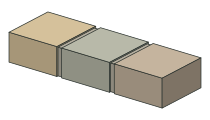
Natural Stone Setts
100 × 100 × 50 mm
Sandstone in Raj, Buff, Kandla Grey and Autumn Brown, plus granite and limestone finishes.
Customisable jointed edging along your selected SketchUp path.
One payment. Lifetime single-seat licence. Desktop SketchUp with Ruby extension support. Not for iPad or Web.
Choose a starting point. Make it suit the job.
100 × 100 × 50 mm
Sandstone in Raj, Buff, Kandla Grey and Autumn Brown, plus granite and limestone finishes.
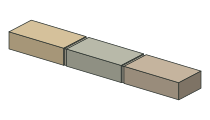
200 × 100 × 50 mm
Natural stone colours, varied tones and adjustable jointing.
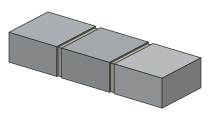
100 × 100 × 50 mm
Silver or black. A compact concrete sett with 10 mm joints as standard.
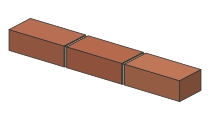
215 × 102.5 × 65 mm
Red, charcoal, buff and Staffordshire Blue. Standard or custom dimensions, with 10 mm joints.
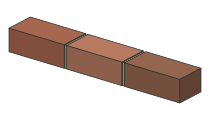
228 × 108 × 78 mm
Weathered red or buff, editable dimensions and separate mortar.
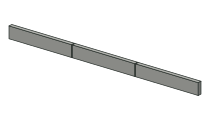
915 × 50 × 150 mm
Flat top, bullnose or chamfered profiles. Editable depth and 10 mm joints.
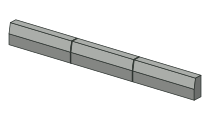
914 × 125 × 255 mm
A raised kerb with a sloping face and adjustable placement height.
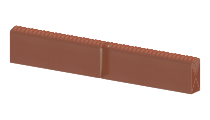
590 × 50 × 180 mm
A defined twisted crown in terracotta, buff or charcoal.
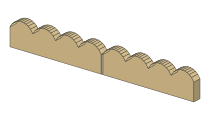
600 × 50 × 150 mm
A shaped concrete top in red or buff, with profile-following mortar.
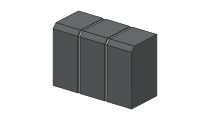
Small and large sizes
Small 125 × 100 × 127 mm; large 100 × 127 × 200 mm. Raised automatically above the path.
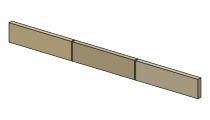
600 × 150 mm · 30–40 mm thick
Buff, Raj or Autumn Brown with separate, adjustable jointing.
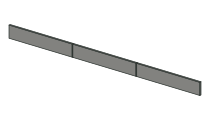
900 × 150 or 1000 × 160 mm
20 mm thick, square-edged porcelain. Lay upright or flat.
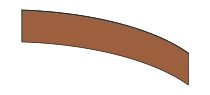
1 m sections · adjustable height
Corten, brown, black, green or galvanised. Flexible runs without mortar.
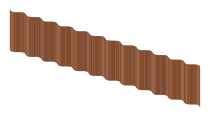
Generic corrugated profile
A corrugated option for Corten and the other steel finishes. Check the profile against your chosen stock.
Choose a connected line, arc or loop in your model. Open Edging Pro from the toolbar.
Pick the edging and material. Set the placement, height and masonry joints, then check the preview.
Create the run. Come back to change its settings whenever your design develops.
Choose the details, preview the arrangement, then create your edging.
Built by a landscape designer, for the details that take too long to model by hand.
Keep the top flush with the path, raise it 20 mm or enter a custom offset. Jointing moves with the run.
Use the included finishes or apply your own material to one run or all your Edging Pro runs.
Adjust masonry joint width, recess and colour. Steel stays a strip, without mortar jointing.
For patios, lawns, paths and planting borders. Add the finishing detail without placing and rotating every unit yourself.
Check the installation guide and current limitations before choosing Edging Pro.
£29 + VAT / once
Lifetime licence · single seat
Desktop SketchUp only.
Not compatible with iPad or Web.
No subscription. See licence terms and refund policy.
Edging Pro requires desktop SketchUp with Ruby extension support. It does not run in SketchUp for Web or iPad. Contact support if you need help checking your desktop version.
Yes. Select a connected path or closed loop and Edging Pro places the setts along it. Units keep their dimensions. Tight bends may need smaller units or manual cuts; the preview flags problematic placements.
Yes. Select the saved Edging Pro group, choose Use selection, adjust your settings and Update edging. Changes to the original loose path do not automatically change a saved run.
£29 plus VAT, paid once, for a lifetime single-seat licence. No subscription. Install the extension, then activate it using the licence key supplied after purchase.
Yes. Paint the outer edging group, then use Apply group material for this run or all Edging Pro runs. Jointing keeps its separate finish. A single custom material replaces the preset shade variation.
We do not offer a voluntary money-back guarantee. Your statutory rights remain unaffected, including remedies for faulty or misdescribed software. Read the refund and cancellation policy.
Yes. Edging Pro follows sloping paths, preserving the path heights. Rigid units tilt to follow the grade; steel follows the run. Preview sharp changes in gradient before creating.
Installation help, practical answers and a real support address.
Pond rocks, wall coping and cornerstones for desktop SketchUp. Explore Stone Placer and the two-tool bundle.